# Major Recall Alert: Tempus Pro Monitor Recalled Due to Inaccurate Labeling for ICP and BDR Monitoring
Attention healthcare professionals and organizations utilizing the **Tempus Pro** monitor: a major recall has been issued for this device due to inaccurate medical labeling. According to a recent announcement, the user/operator manual for the Tempus Pro references the term "invasive pressure," including **intracranial pressure (ICP)** and **bladder pressure (BDR)** as selectable channel labels. However, these measurements have **not been validated or tested for accuracy**. The Tempus Pro monitor is only approved for measuring **invasive blood pressure (IBP)**. This oversight could lead to potentially critical errors during medical diagnosis and treatment.
If your facility or practice uses a Tempus Pro monitor, read on to understand the details of this recall and how to take action to ensure patient safety.
## Why This Recall is Important
Medical devices play a pivotal role in providing accurate and reliable data for patient care. This recall highlights a significant issue with the **Tempus Pro** monitor. While it is approved only for **invasive blood pressure (IBP)** monitoring, its manual incorrectly includes **intracranial pressure (ICP)** and **bladder pressure (BDR)** as selectable measurement options.
Here's why this recall is critical:
- **Unvalidated Data Risk**: ICP and BDR measurements on the Tempus Pro have not been tested or validated, meaning data could be inaccurate or misleading.
- **Potential Misdiagnosis**: Clinicians relying on these unsupported metrics risk making clinical decisions based on faulty information.
- **Patient Safety Concerns**: Using unapproved features in life-critical situations can compromise patient care and safety outcomes.
This recall serves as a reminder of the importance of accurate documentation and validation for medical devices, underscoring the standards required to maintain trust in healthcare technology.
## Details of the Recall
The following key information outlines the specifics of the **Tempus Pro** recall:
- **Brand**: Tempus Pro
- **Product**: Tempus Pro Medical Monitor
- **Issue**: User/operator manual references "invasive pressure" measurement options for ICP and BDR, but these are untested and not validated for accuracy.
- **Approval**: The Tempus Pro device is only cleared for **invasive blood pressure (IBP)** monitoring.
- **Recall Announcement Date**: October 2023 (30845 in internal reporting).
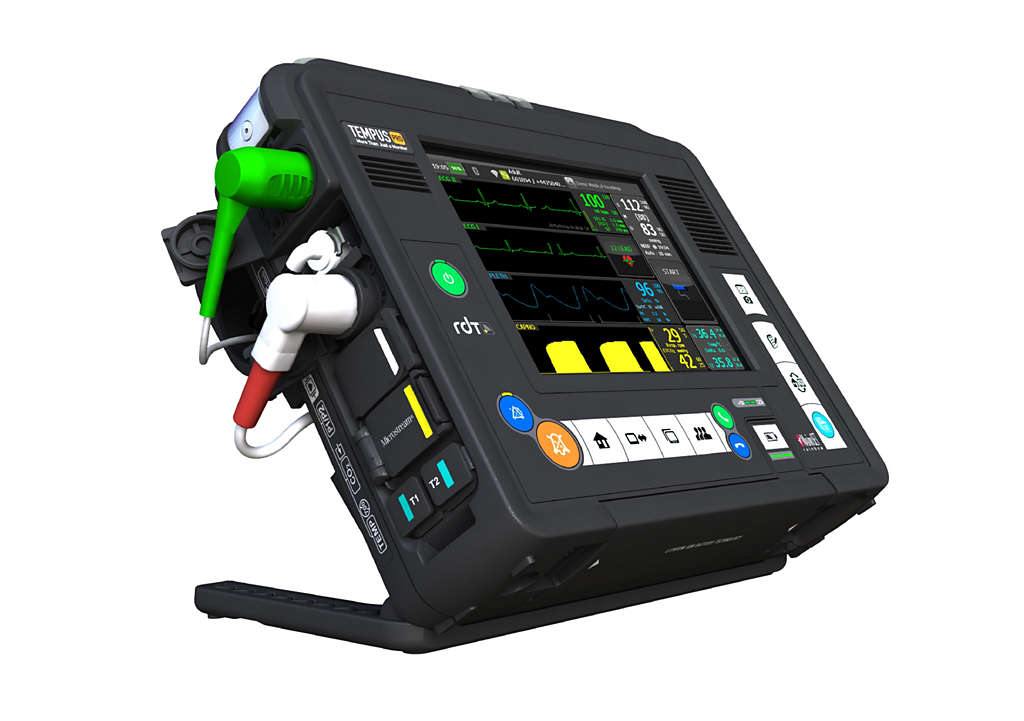
- **Product Image**:
- **Official Source**: [Government of Canada Recall Notice](https://recalls-rappels.canada.ca/en/alert-recall/tempus-pro-0)
If you own or operate the Tempus Pro in your practice, it is crucial to review this safety notice to evaluate your device's current usage immediately.
## What You Should Do
To ensure patient safety and compliance with this recall, follow these steps:
1. **Cease Use**: Do not use the Tempus Pro monitor for any ICP or BDR measurements. Continue using the device only for approved **invasive blood pressure (IBP)** readings.
2. **Review Operational Manuals**: Revisit the user/operator manual and ensure that all team members are aware of the labeling issue.
3. **Contact the Manufacturer**: Get in touch with the Tempus Pro support team to clarify the labeling issue and obtain further instructions on recall procedures.
4. **Stay Updated**: Keep an eye on updates about this recall by monitoring trusted sources like government health and safety authorities.
For more information, refer to the official recall on the **[Government of Canada Recall Notice](https://recalls-rappels.canada.ca/en/alert-recall/tempus-pro-0)**.
## Stay Safe – Get Instant Recall Alerts
Staying informed about recalls is critical to maintaining safety in healthcare. Patient care hinges on the reliability of the tools and devices we rely on every day. To ensure you never miss another safety update or recall, **download our free “MyRecalls” app today** for instant notifications.
With the **MyRecalls app**, you can:
- Receive real-time product recalls.
- Access detailed recall instructions.
- Ensure compliance with safety measures.
Don’t leave safety to chance—[**Download the MyRecalls App Now!**](#).
Stay informed, stay compliant, and most importantly, keep your patients safe!